
Reading menus
Offline menu translator
Read a restaurant menu with your camera, check the original text, and estimate prices in your home currency.
Download the source and target languages in Camera while you’re online. You can then read a menu, review the original text, and estimate recognized prices using exchange rates saved on the phone.
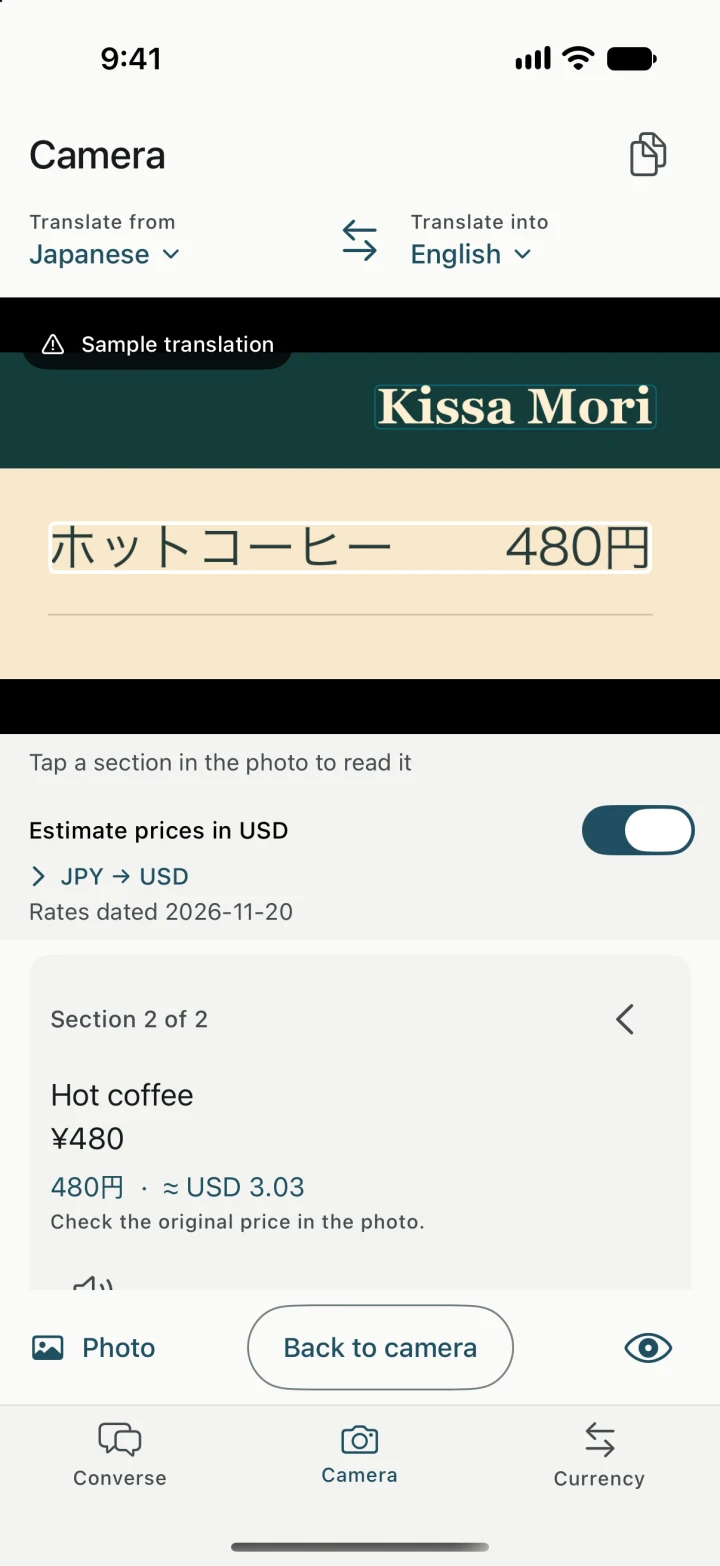
Read the dish and its price together
Open Camera, choose the language printed on the menu and the language you want to read, then freeze a clear image. You can also import a photo stored on your phone. Start by framing a single column so each dish stays near its price. Move through the frozen menu one section at a time.
Check the line you plan to order
At a Japanese café, you might see ホットコーヒー next to 480円. In English, that’s hot coffee for 480 yen. Open “Check original text” to compare the Japanese and the amount against the photo. If the price is beside the wrong item, recapture the row or correct the reading. For ingredients or allergies, confirm with staff and point to the original dish name.
See the estimate in your home currency
- In Currency, set JPY as the local currency and pick your home currency.
- Go back to the frozen menu and turn on the price estimate. Yakpack estimates recognized prices using the dated rate table on your phone.
- For a handwritten amount or an unclear currency symbol, verify the price on the menu and type it directly in Currency.
See how to check the rate date before paying. Read the camera capture walkthrough.