
App comparison 3 min read
Yakpack vs. Apple Translate on iPhone
Compare two offline-capable iPhone translators for face-to-face conversations, camera translation, and travel prep.
On iPhone, both apps can translate a face-to-face conversation offline after setup for a supported language pair. Apple Translate is a good fit for a quick conversation or camera reading. Yakpack brings trip setup, prepared phrases, and currency estimates into the same app. Apple’s conversation guide
| Task | Yakpack | Apple Translate |
|---|---|---|
| Offline setup on iPhone | Check the offline speech model, translation resources, and voices in trip setup. | Download both languages under Settings → Apps → Translate → Languages. |
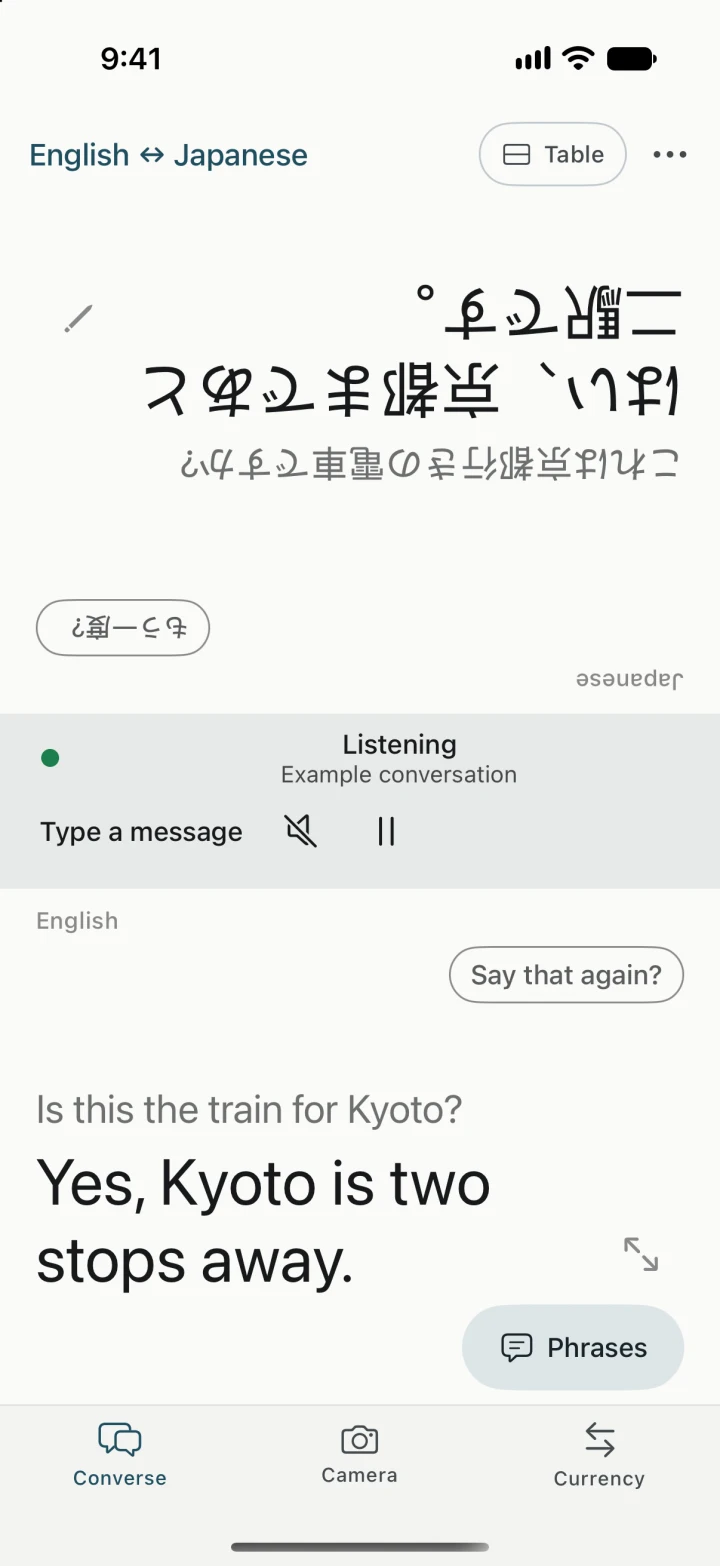
| Conversation across a counter | Table faces the text toward both readers. Handheld puts both sides in one upright feed. | Conversation accepts voice or typing. Face to Face gives each reader their own side. |
| Read a menu or notice | Freeze or import a photo, compare recognized text with the original, and estimate prices using saved rates. | Freeze the live camera view or import a photo. Tap an overlaid translation to inspect it. |
| Keep a phrase handy | Browse prepared phrases or save a phrase you’ll reuse. | Save individual translations to Favorites and reopen them to show someone. |
Choose the layout you’ll use
When the phone is flat between you and a clerk, try Apple Translate’s Face to Face view or Yakpack’s Table view. If you’re holding the phone and turning it to show the next reply, compare that with Yakpack’s upright Handheld feed. For a short request you’ll make again, save an Apple Translate favorite or prepare a phrase in Yakpack and check that you can show it offline. Apple’s guide to favorite translations · Yakpack’s offline phrases guide
Rehearse hotel check-in in airplane mode
- On Wi-Fi, download both languages in Apple Translate. In Yakpack, pick the same languages and check speech, translation, and playback in trip setup. Apple’s Translate settings
- Turn on airplane mode and switch off Wi-Fi. Say “Can we leave our bags until check-in?” and translate a short reply. In both apps, tap play and check that the other person can read their side of the screen.
- Open a photo of a hotel notice with a time and a price. Check the numbers against the original in both apps. Then try reopening a saved request without a connection. Apple’s camera guide
Apple Translate is a sensible choice if you already use it on iPhone and its layouts and downloads fit the trip. Try Yakpack if you also want to estimate prices at the desk or check what’s available in your offline city guide. Yakpack’s iPhone app uses Apple’s Translation framework for its standard translation path. Use the full airplane-mode checklist.